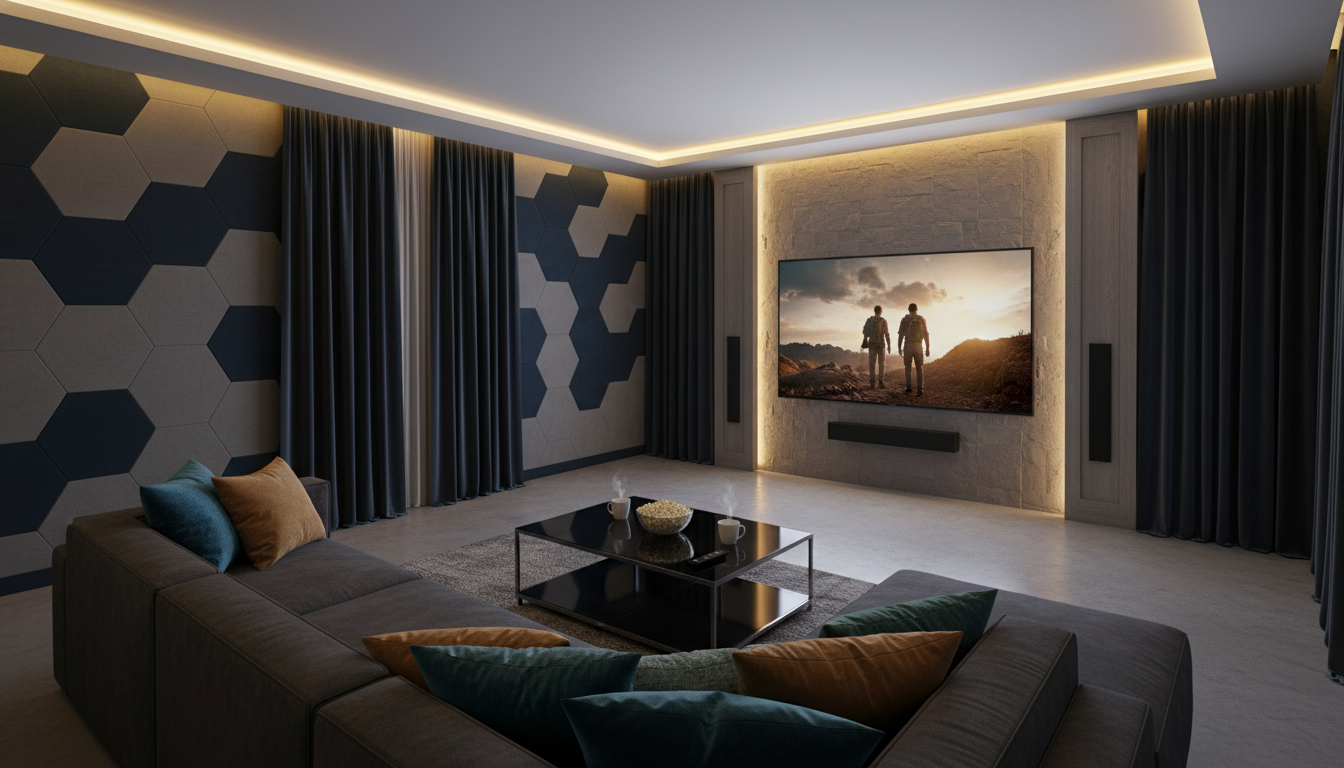
Best Home Theater System Setup Guide for your Winnetka, IL home roadmap for creating a modern, cinematic space that fits your life and your living area. This concise guide helps you choose the right projector, speakers, and processing chain for a real 100–150 inch front projection experience.
You’ll learn why Dolby Vision improves picture depth with dynamic HDR and why Dolby Atmos places you inside a dome of sound. We cover reference-quality playback options like Kaleidescape and the simple convenience of Apple TV 4K.
See how in-wall and in-ceiling Origin Acoustics speakers preserve clean interiors while delivering accurate imaging. Learn where Marantz Separates add power and upgrade paths, and how an AV chain with a subwoofer creates true cinematic bass.
If you want a turnkey plan, Omnia Integration in Winnetka will design, install, and tune your theater. Contact them at info@omniaintegration.com or 847-430-4871 to get started.
Key Takeaways
- Plan your room for a 100–150 inch projector to get a true cinematic experience.
- Dolby Vision and Dolby Atmos are the most reliable formats for lifelike picture and 3D sound.
- Choose between Kaleidescape for reference playback or Apple TV 4K for easy streaming.
- Origin Acoustics and Marantz Separates provide premium, discreet audio and clean control.
- Omnia Integration offers local design, installation, and support in Winnetka (info@omniaintegration.com, 847-430-4871).
Home Theater Planning in Winnetka, IL: Start With Your Room and Your Goals
Start your Winnetka planning by matching the room you have to the cinematic goals you want to reach. Winnetka homes often offer finished basements, family rooms, or open-plan living areas — each space changes what is possible for a front projection image and surround sound.
Dedicated room or a living room cinema?
Decide whether a dedicated room or a living room conversion fits your lifestyle. A dedicated room gives easier acoustics, tighter light control, and larger screen options.
A living room preserves daily use and needs compromise for windows, fireplaces, and traffic.
Size, shape, and the best front wall
Map wall options early. In many North Shore houses, the best front wall is dictated by window placement or existing focal points. Measure the space, plan seating zones, and place speakers so multiple seats enjoy a wide sweet spot.
- Light control: blackout curtains and dimmable lighting prevent washed-out images.
- Acoustics: soft treatments reduce reflections and echo for clearer sound.
- Infrastructure: plan equipment closets and in-wall wiring before finishing work.
Finish with a simple goal statement: what you watch, how many watch at once, and how cinematic you want your Winnetka home theater to feel.
Choosing Your Display: Large Front Projection Screens for a True Cinema Feel
For a true cinema feel in Winnetka rooms, large front projection screens deliver scale and immersion that flat panels can’t match.
Why front projection excels for 100–150 inch images
Projectors routinely produce images in the 100–150 inch range, which gives a wider field of view and a more immersive movie experience. A properly placed screen turns a long wall into a focal point that reads like a purpose-built cinema surface.
Screen material basics and when to consider an acoustically transparent screen
High-quality screen fabrics use reflective material to send light back to your seat for a brighter, clearer picture. Gain, color, and surface texture affect brightness, contrast, and viewing angles—so pick a material that matches your room’s lighting and finishes.
Acoustically transparent screens let you position the center speaker behind the screen. This creates more realistic dialogue placement and cleaner sightlines. Use an AT screen when speakers behind the image improve imaging and you have a speaker plan that supports it.
- Range note: 100–150 inch is the usual size range for a true cinema feel.
- If your wall has windows or glossy finishes, prioritize contrast and light control to protect image quality.
- Remember: a projector rewards careful planning; pair the right screen with speaker placement for the best result.
Dialing in Screen Size and Seating Distance for Immersive Viewing
A simple ratio turns your seating distance into a practical screen size for family viewing. This keeps the picture large and comfortable for everyone in your room.
Viewing distance formula
Use this quick math: viewing distance (inches) ÷ 1.5 = optimal screen size.
Example: a typical couch 82.5 inches from the wall gives 82.5 ÷ 1.5 = 55 inches. That tells you the screen size that fills your field of view without forcing head turns.
Seating alignment tips for better angles
Place seats on or near the centerline so faces are pointed at the screen. That improves picture angle and keeps dialogue sounding anchored to the image.
- Set primary seating at the calculated distance for the clearest picture.
- Space additional seats in a gentle arc to widen the audio and visual sweet spot.
- Keep walkways so viewers can move without blocking sightlines or audio paths.
| Viewing Distance (in) | Suggested Screen Size (in) | Seating Rows |
|---|---|---|
| 75 | 50 | Single row |
| 90 | 60 | Two rows (staggered) |
| 120 | 80 | Two rows with riser |
- Measure your primary viewing distance, in inches.
- Apply the formula and map seat centers to the screen centerline.
- Confirm walkways and sightlines before you buy a screen or move equipment.
Dolby Vision and Dolby Atmos: The Formats That Make Your Theater Feel Real
Dolby’s formats lift both picture and sound so your movie nights feel closer to a cinema. They work together: one refines light and contrast, the other adds three-dimensional motion to audio. You’ll notice the difference quickly when a scene opens or a helicopter flies overhead.
Dolby Vision for dynamic HDR and creator-intended contrast
Dolby Vision adjusts brightness and color on a frame-by-frame basis. That means brighter highlights, deeper blacks, and more nuanced midtones that match the director’s intent. In a well-darkened room those changes make textures and facial detail pop without over-brightening the image.
Dolby Atmos for a multidimensional “dome of sound”
Dolby Atmos is more than louder surround. It adds height and movement so effects travel over and around you in a dome of sound. Proper speaker placement and calibration let you hear rain, voices, or aircraft move precisely through space.
How streaming services deliver Dolby formats today
Major streaming apps and Apple TV 4K often carry both Dolby Vision and Dolby Atmos, but your device chain must support them. That means a display that reads Dolby Vision metadata, an AV processor that decodes Atmos, and an HDMI path rated for full 4K/HDR bandwidth.
“Dolby formats reward good rooms — they enhance excellent planning, they don’t replace it.”
| Format | Perceptual Benefit | Key Hardware Need |
|---|---|---|
| Dolby Vision | Dynamic HDR, brighter highlights, deeper blacks | Dolby Vision-capable display and HDMI 2.1 chain |
| Dolby Atmos | Height cues, object movement, immersive sound dome | AVR/processer with Atmos decoding and height speakers |
| Streaming Delivery | Wider availability across apps, variable bitrates | Compatible player (e.g., Apple TV 4K) and correct settings |
- Practical tip: Calibrate your room and center primary seating to feel the full effect.
- Expectation check: Dolby formats enhance your entertainment, but they can’t fix poor placement or bright windows.
Best Home Theater System Setup Guide: Picking the Right Surround Sound Layout
Choosing the right surround layout makes a major difference in how movies and music fill your room. A simple number like 5.1.2 or 7.1.4 tells you the bed layer, subwoofers, and height channels at a glance.
Understanding the speaker number
The first digit is ear-level speakers, the second is subwoofers, and the third is height or Atmos channels. Knowing that lets you shop and plan without guessing.
Practical layouts for Winnetka rooms
5.1.2 is the common value pick for small to medium rooms. It gives real overhead effects without large wiring or extreme cost.
7.1.4 suits dedicated rooms. More surround speakers and height channels improve steering and coverage for multiple seats. Many receivers support 7.1.4 (11 channels) but check your receiver channel limits first.
Elevation vs. in-ceiling Atmos
Elevation (up-firing) speakers are easy to retrofit and preserve ceiling finishes. In-ceiling height speakers deliver crisper overhead imaging when you can access the ceiling during install.
| Approach | When to choose | Benefit |
|---|---|---|
| Elevation | Limited ceiling access, retrofit | Simple install, good virtual height |
| In-ceiling | New build or remodel | Precise overhead imaging |
“Match your layout to room size, budget, and how you watch — casual streaming or serious movie nights.”
- Confirm your receiver supports the channel number you plan.
- Consider separates for higher power and upgrade paths.
- Choose the layout that fits how your family uses the room.
Speaker Placement Fundamentals That Improve Surround Sound Immediately
Good speaker placement turns a room into a coherent soundstage rather than a confusing echo chamber. Follow a few clear rules and you’ll hear better imaging, crisper dialogue, and more even sound across your seating.
The golden-triangle for left, right and your seat
Place the left and right speakers so they form an equilateral triangle with your primary seat. That creates stable imaging and stops the front stage from sounding vague.
Center placement for locked dialogue
The center speaker is the workhorse for dialogue. Mount it centered below the screen if you don’t use an acoustically transparent screen. Aim it at ear level or tilt up slightly so voices sit on screen.
Surrounds: height, distance and coverage
Mount surround speakers about 1 foot above ear level and slightly forward of the main listening row. Keep them to the sides, not far behind, so effects wrap more seats.
- Check wall symmetry—imbalances can be corrected by fine distance and level adjustments in your receiver.
- Toe-in front speakers to widen the sweet spot and tame brightness.
- Walk the room: verify dialogue clarity, pans, and consistent sound across all seats.
- Adjust distances and levels until imaging and balance feel natural.
Subwoofer Strategy: Bass You Can Feel Without Boominess
Deep, controlled low end turns explosions and score crescendos into something you can feel, not just hear. A quality subwoofer supplies that low-frequency energy so scenes hit with real impact while keeping mids and dialogue clean.
Why at least one low-frequency unit matters
Low bass is largely non-directional, so a single subwoofer can deliver the physical weight that fronts cannot. Set the crossover near 80 Hz so your main speakers stay focused and the sub handles the heavy lift.
When adding a second unit improves consistency
Two subs reduce peaks and nulls across multiple seats. That means bass stays even from chair to chair instead of booming in one spot and thin in another. For finished basements or open living areas in Winnetka, a pair is often the single best upgrade for smoother low end.
| Room Type | One Sub | Two Subs |
|---|---|---|
| Small living room | Usually sufficient; control with placement | Optional for multiple seating rows |
| Finished basement | Good start; watch for room modes | Recommended for even bass across seats |
| Open-plan area | May lack consistency | Better coverage and neighbor-friendly levels |
- Placement: try front corner then adjust along the wall.
- Tuning: set crossover ~80 Hz and use room EQ or manual phase/level tweaks.
- Neighbor tips: limit extreme low output and use two subs to reduce required gain.
Origin Acoustics Sound Systems: Clean Aesthetics, Big Performance
Origin Acoustics makes it easy to keep your living area elegant while adding powerful, accurate sound. Their in-wall and in-ceiling solutions let you hide components and keep sightlines uncluttered.
In-wall vs. in-ceiling: where each belongs
Use in-wall speakers for your LCR and side surrounds when you want precise imaging and strong center dialogue. In-ceiling speakers excel as height channels for Atmos effects and for wide-area ambient coverage.
Practical tradeoffs and placement advice
Studs, joists, and HVAC runs often force adjustments. When a ceiling location is blocked, shift left or right rather than pushing the speaker too far forward or back. Symmetry is ideal; receivers can compensate for small distance differences.
- Match speakers by series to keep timbre consistent across channels.
- Aim and assign height channels correctly so pans remain smooth.
- Protect dialogue with correct LCR placement and elevation targeting.
“Discreet design doesn’t mean sacrificing performance—correct placement and matching keep imaging tight.”
Marantz Separates: The Heart of a High-End Home Theater System
A dedicated processor and amps improve control and let your components do their best work.
Separates means splitting processing and amplification into two boxes: a pre/pro that handles decoding, routing, and room correction, and one or more power amplifiers that deliver clean, stable power to speakers.
This approach gives you more power headroom for dynamic movie soundtracks and better thermal and electrical separation than a single receiver. Marantz separates are designed to keep audio transparent and to match amplification to speaker needs across a wide range of channels.
Why choose separates for growth and performance
Higher channel counts—think Atmos layouts with many height channels—often require a processor plus multi-channel amps. With separates you can upgrade the processor later for new HDMI features without replacing amplification that still performs.
- Better control: dedicated processing lets you fine-tune EQ and bass management.
- Matched power: choose amps sized to your speakers for consistent, effortless sound.
- Upgrade path: swap the processor when formats change and keep your amps.
“If you value long-term flexibility and cleaner power delivery, separates are worth considering.”
- Assess channel count, speaker sensitivity, and listening volume.
- Decide if a quality receiver meets your needs or if separates better fit your goals.
How Much Amplifier Power Do You Need for Your Room?
Choosing the right watts per channel helps your speakers deliver clean, dynamic audio at realistic volumes. Below is a simple, practical way to match amplifier power to room size so you don’t underpower your gear or overspend.
Quick guidance by room size
Use this range as a starting point for most Winnetka rooms. Adjust for seating distance and listening style.
| Room (sq ft) | Watts per channel | When this fits |
|---|---|---|
| < 200 | 50–100 W | Small living rooms, casual TV |
| 200–500 | 80–150 W | Dedicated spaces, louder movie nights |
| > 500 | 100–150+ W | Large basements, multiple seating rows |
Matching power to speakers and habits
Speaker sensitivity changes the math: a high-sensitivity speaker needs less power to reach the same volume. If you like reference-level listening, choose more headroom so peaks stay clean.
Also consider impedance and receiver stability. A receiver that handles low impedance loads keeps multiple speakers controlled in complex surround systems.
- Note room size, seating distance, and target volume.
- Check speaker sensitivity and impedance from the manufacturer.
- Talk to your integrator with those specs to pick the right receiver and amp.
Sources and Players: Kaleidescape Movie Servers vs. Apple TV 4K Streaming
Think of sources as two different promises: one delivers reference-quality playback and curated libraries, the other gives fast, app-based access for everyday entertainment.
Kaleidescape for reference-quality movie playback
Kaleidescape shines when you want the highest picture and audio fidelity. It stores mastered files locally so your projector, screen, and Dolby Atmos rig can show real depth and stable sound with minimal compression.
Apple TV 4K for app-based streaming
Apple TV 4K is fast to use and covers the apps your family knows. Many streaming services deliver Dolby Vision and Dolby Atmos, but consistent delivery depends on your HDMI path and device settings.
Choosing the right mix for your movie nights
Most Winnetka homeowners use Apple TV 4K for daily viewing and add Kaleidescape for premium movie nights. That balances convenience with reference playback when you have time for a fully immersive experience.
- Practical tradeoffs: startup time, guest ease, and network reliability.
- Dolby check: confirm Dolby Vision/Atmos support on each source and your AVR.
- Source checklist: format support, storage, network, and control integration before you buy.
“Pick the source that matches how you watch—then tune the rest to make Dolby Atmos and your audio chain sing.”
Wiring, HDMI, and Cable Management for a Reliable Setup
Clean wiring and careful cable choices make your audiovisual gear work reliably for years. A thoughtful plan keeps your projector, players, and receiver talking clearly and prevents surprise failures. Small choices now save time and money when you add or replace components later.
HDMI 2.1 and signal path best practices
Use HDMI cables rated for HDMI 2.1 or higher so 4K HDR, Dolby Vision, and high-bandwidth audio pass without handshakes or dropouts. Keep runs short where possible and use a quality HDMI matrix or switch if multiple sources share a single display.
In-wall wiring and termination points
Plan in-wall runs for speaker wire and HDMI during renovations. Terminate at clean wall plates with labeled jacks so connections are obvious and serviceable. That prevents ad-hoc drilling behind furniture and preserves a polished wall finish.
Power protection, conditioning, and safe racks
Protect gear with a surge protector and, optionally, a power conditioner for voltage stability. Stack equipment in a ventilated rack or cabinet so boxes get airflow; leave service access to avoid stretching cables when you change gear.
Hiding cables the right way
Use code-compliant conduits or raceways for in-wall HDMI and speaker runs. For projecting devices, route cables through ceiling or soffit channels to keep pathways tidy and trip hazards absent. Label both ends to make future changes easy.
“Wiring is where great gear becomes a reliable system or a frustrating box of problems.”
- Quick checklist: HDMI 2.1 cables, labeled wall plates, surge protection, ventilated rack, and code-aware cable hiding.
- Prewire during remodels so future upgrades need only new boxes, not new holes.
Projector and Screen Installation Considerations for Front Projection
Where you place a projector changes focus uniformity, fan noise reach, and how the image reads from every seat.
Projector mounting and clear sightlines
Mount the projector so the beam avoids walk paths and heads. Aim for a location on the ceiling that keeps the screen wall as the room’s natural focal point.
Check joists and soffits before you cut: joist direction in many Winnetka homes affects mount type and cable runs. Plan conduit and network power before drywall closes.
Keeping the image bright: light control and screen pairing
Pair your projector with a screen material that matches your projector’s lumen range and your room’s ambient light. Blackout curtains and dimmable lighting make contrast look far better than raw brightness alone.
Light-colored walls reflect and lower perceived contrast. Simple fixes—dark paint, absorptive panels, or side curtains—protect picture quality.
- Quick install checklist: throw distance, mount location, screen height, power/network access, and control integration.
- Confirm fan noise is muted from seating positions and that the projector can be serviced without moving heavy furniture.
“Plan mounting and cable paths early — it prevents costly changes and preserves clean sightlines.”
Calibration and Fine-Tuning: Make Dolby Atmos and Dolby Vision Shine
Fine-tuning brings timing, balance, and imaging into tight alignment so effects and dialogue feel natural. Calibration is where a quality setup becomes a great one.
Speaker distance, level matching, and the sweet spot
Measure and enter speaker distances in your receiver so time alignment is corrected automatically. Match levels with an SPL meter or the receiver’s mic to keep pans smooth and the front stage anchored to the screen.
Quick checklist:
- Set distances in centimeters/inches and run an auto-calibrate sweep.
- Trim individual speaker levels until dialogue stays centered and surrounds wrap evenly.
Atmos choices: in-ceiling vs. up-firing elevation
Tell your processor whether you use in-ceiling height channels or up-firing elevation speakers. In-ceiling gives precise overhead imaging; up-firing is easier to retrofit and still creates convincing height effects.
When to recalibrate
Re-run calibration after moving seating, adding acoustic panels, swapping speakers, or adding a sub. Even small couch shifts can change your sweet spot.
Test content tip: use Dolby Atmos scenes for overhead motion and Dolby Vision clips for picture contrast checks.
Why Work With Omnia Integration for Your Winnetka Home Theater?
A thoughtful install should respect both your room and your lifestyle. Omnia Integration treats every project as a complete solution, not a pile of parts. That means your screen, sound, seating, and control interfaces behave as one coherent unit from day one.
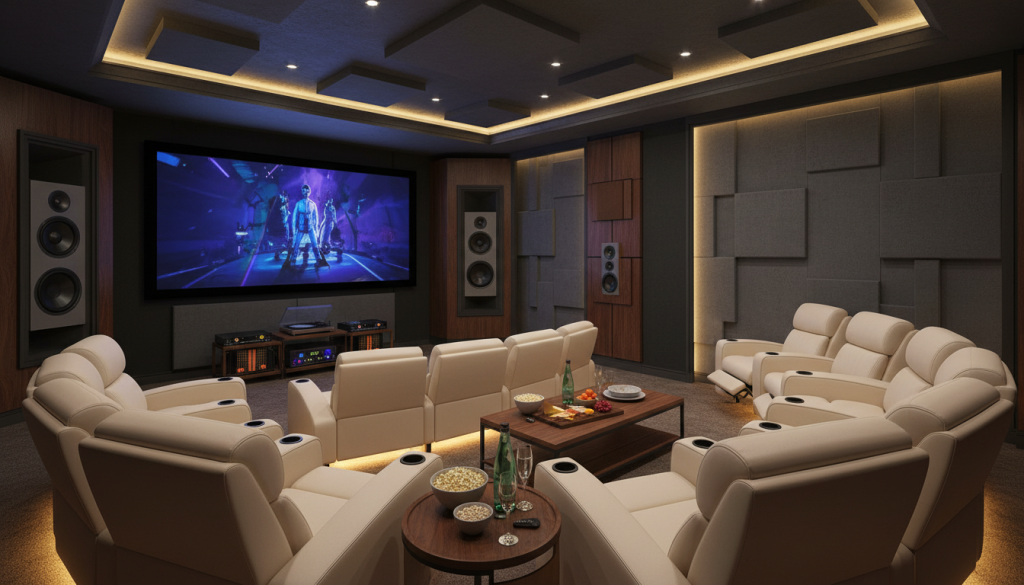
Custom design that fits your room, seating, and aesthetic goals
Omnia Integration maps your room and visual priorities, then recommends discreet speaker placements like Origin Acoustics and clean in-wall wiring so your living space stays refined. They design for Dolby Vision and Dolby Atmos to make picture and sound match your intent.
Turnkey installation, testing, and system training so you enjoy it immediately
The team installs front projection gear, integrates sources such as Kaleidescape and Apple TV 4K, and pairs electronics like Marantz Separates. They test, calibrate, and walk you through basic operation so you spend time watching, not troubleshooting.
How to contact Omnia Integration
You can schedule a consultation by emailing info@omniaintegration.com or calling 847-430-4871. They also offer ongoing recalibration and support to maintain peak performance over time.
“You get a tailored result that sounds and looks like it belongs in your home.”
Conclusion
Wrap up your Winnetka project with a clear action plan: plan the room first, pick a large front projection screen, and then design your surround sound layout around seating. Prioritize Dolby Vision for picture and Dolby Atmos for three-dimensional sound so your movies feel alive.
For many rooms a 5.1.2 layout gives big returns; choose 7.1.4 for a dedicated theater if you want more precision. Use at least one subwoofer—two smooth bass across seats—and place speakers for stable imaging.
Balance convenience and fidelity: Apple TV 4K for daily streaming, Kaleidescape for reference-quality movie nights. Pair discreet Origin Acoustics speakers with Marantz Separates for upgradeable power and refined tonal balance.
If you want a professionally designed and installed home theater, contact Omnia Integration at info@omniaintegration.com or 847-430-4871. Calibration and occasional recalibration keep your sound and picture performing at their best.