Remember that feeling of coming home? The simple joy of walking through your door and feeling truly at ease. Now, imagine your house greeting you, anticipating your needs, and making every day smoother. That’s the promise of a truly smart home.
Today, that promise reaches a new level. The latest update transforms your living space into a more responsive partner. It’s a complete refresh designed for how we live now. This isn’t just an upgrade; it’s a reimagining of what your home can be.
If you already love your automated home, this will make you fall in love all over again. For those new to this technology, there has never been a better time to start. This guide will walk you through everything, from the sleek new interface to the simple upgrade process.
Whether you manage one home in Winnetka or several properties, this new system keeps everything organized at your fingertips. It’s faster, more intuitive, and deeply personal. Your home should work for you, saving you time and enriching your life.
As your local expert, Omnia Integration is here to guide you. We are the top dealer to help you get the most from your investment. Let’s explore how this next-generation operating system can transform your daily routine.
Key Takeaways
- This update represents a major leap forward for home automation, making everything faster and more intuitive.
- It transforms your living space from a simple system into a comprehensive smart living experience.
- Existing users will rediscover the joy of their setup, while new users have a perfect starting point.
- The interface is more customizable than ever, giving you unprecedented personal control.
- This review will cover the modern design, upgrade steps, and how to maximize your home’s potential.
- Omnia Integration is your trusted local expert for consultation and service in the Winnetka area.
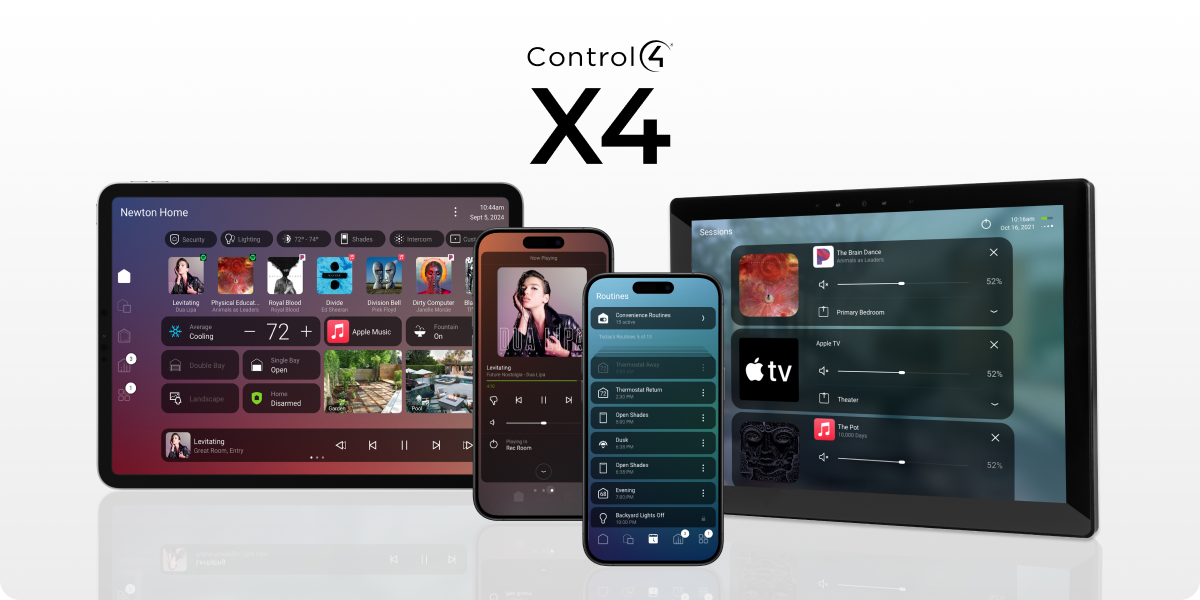
Introducing the New Era of Control4 X4 Software Update
The moment you launch the update, you’ll be greeted by a beautifully streamlined design. This fresh look makes managing your space feel simpler and more sophisticated right away.
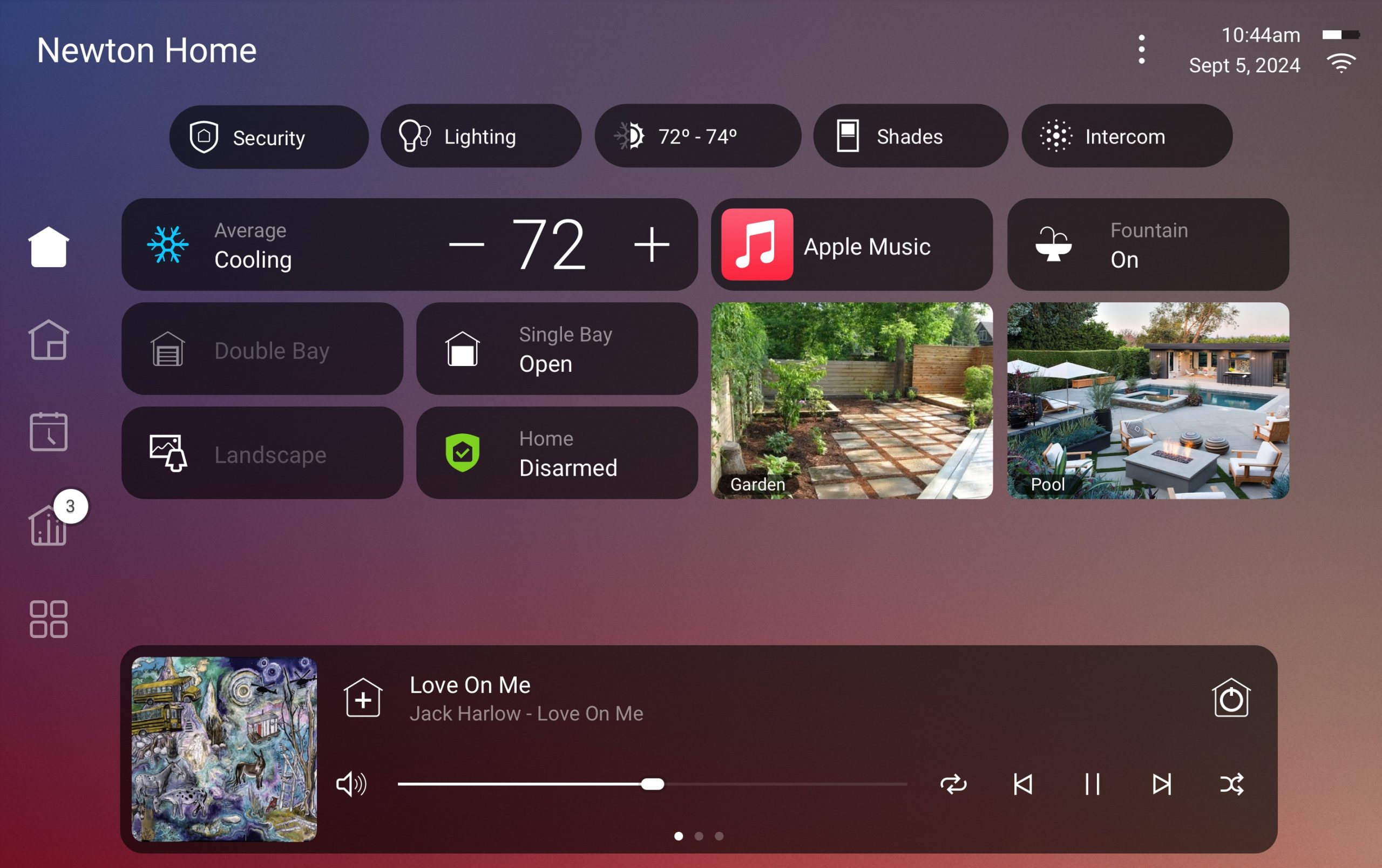
Your main dashboard becomes a true command center. It puts your favorite scenes and active media sessions front and center. You see what matters most without digging through menus.
Discover the Fresh, Modern Interface
A new Quick Actions bar is a game-changer. Adjust lights, shades, or your security system with a single tap. Your smart home now responds as quickly as you think.
Jumping between rooms is effortless with the intuitive sidebar. Seamlessly manage audio in the kitchen, lighting in the den, or video in your home theater from one screen.
Enhanced Home Screen and Widgets for Personalized Use
Customizable widgets let you build a dashboard that fits your life. Resize and rearrange them, just like on your smartphone. Your home screen becomes uniquely yours.
Organization shifts from devices to activities. This makes setting an entertainment scene or checking security cameras feel natural. Everything is right where you need it.
For multiple properties, the new selector keeps everything tidy. Switching between locations is smooth and instant.
Evolution of Smart Home Navigation
| Navigation Style | Previous Approach | New X4 Approach |
|---|---|---|
| Home Screen Layout | Device-centric lists | Activity-based widgets |
| Common Actions | Multiple menu taps | One-tap Quick Bar |
| Room Management | Separate room views | Unified sidebar navigation |
This elegant design isn’t just about looks. It puts powerful control of your entire home’s media, climate, and security at your fingertips.
How to Upgrade Your Control4 System to X4
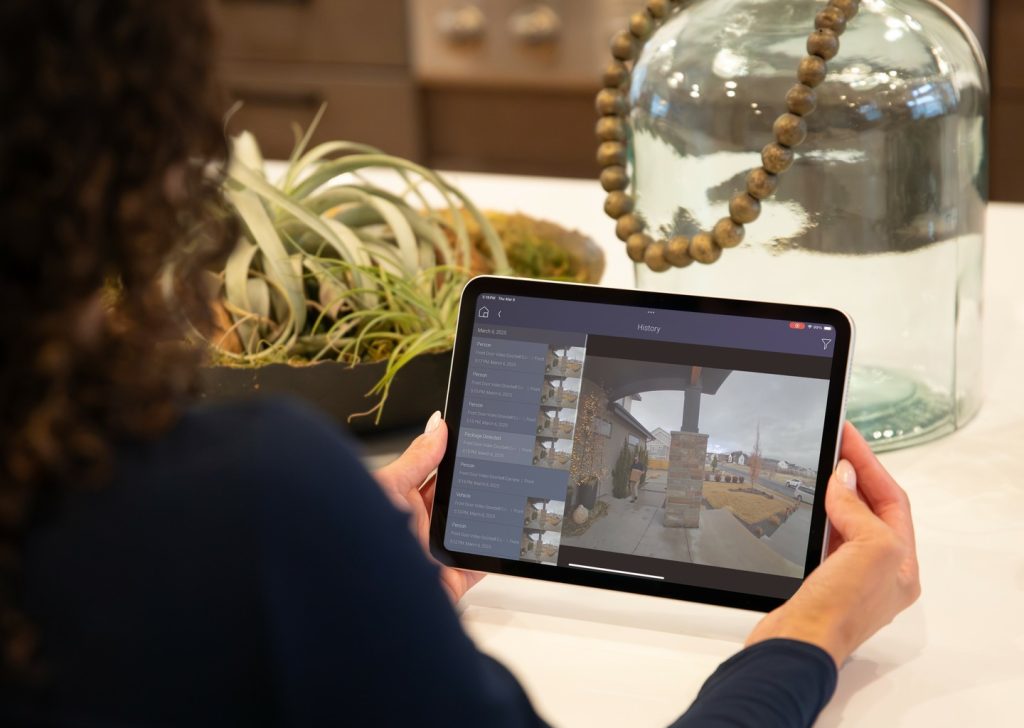
Transitioning to the newest generation of home automation doesn’t have to be complicated. Working with skilled professionals ensures your upgrade goes smoothly from start to finish.
Step-by-Step Installation Guide
The process begins with a consultation to assess your current setup. Your integrator checks compatibility and identifies any needed updates.
Next comes scheduling that fits your timeline. Professional services require just two business days’ notice. This minimizes disruption to your daily routine.
The actual installation involves comprehensive programming enhancements. Remote support is available if needed during the process. You’ll receive complete project files when finished.
Key Considerations for Seamless Transition
Planning is essential for a successful upgrade. Some older components may need replacement before enhancement.
Your expert will identify incompatible drivers or equipment during the initial analysis. This prevents issues during the transition period.
Upgrade Preparation Checklist
| Preparation Step | Professional Approach | DIY Risk |
|---|---|---|
| Compatibility Check | Comprehensive system analysis | Potential missed issues |
| Hardware Assessment | Identify end-of-life equipment | Unexpected replacement costs |
| Timeline Planning | Minimal home disruption | Extended downtime possible |
| Post-Upgrade Support | 1-year warranty included | Self-troubleshooting required |
Integrating Existing Hardware and Software
Your current investment remains valuable during the enhancement. Professional integrators preserve your existing scenes and preferences.
They seamlessly incorporate your equipment with the new operating system. This approach maximizes your previous investment while adding powerful new capabilities.
For personalized guidance, contact Omnia Integration at 847-430-4871. Visit their website to schedule your consultation today. Their team ensures your upgrade delivers optimal performance.
Maximizing Your Home Automation with Control4 X4 Software Control
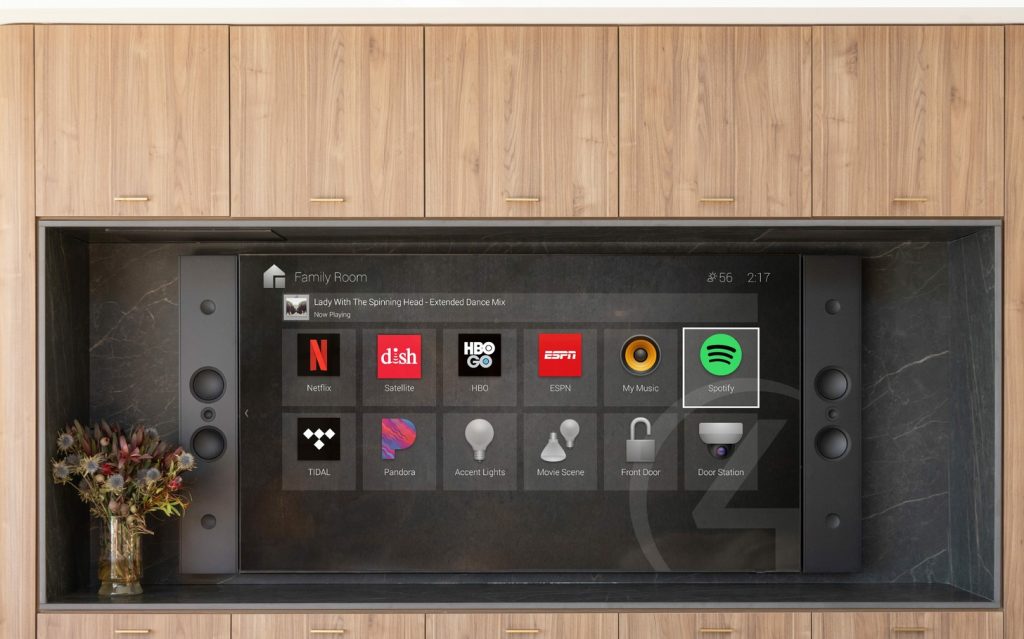
Personalized routines and deep integration with your favorite devices are where your smart home truly comes to life. This latest evolution hands you unprecedented power to tailor your environment.
Utilizing Routines and Customization Options
The new Routines feature is a game-changer. You can easily create scheduled automations that match your lifestyle.
Imagine your lighting adjusting at sunset or your favorite playlist starting as your morning alarm sounds. An intuitive timeline shows you exactly what’s scheduled.
Pre-built templates in the Routine Gallery save you time. Apply expert-designed scenes for home theater, security, and entertainment instantly.
You gain remarkable independence. Make adjustments to your automation whenever inspiration strikes, without a call to your integrator.
Seamless Integration with Apple HomeKit and CarPlay
For Apple users, the experience is beautifully unified. Launch sophisticated scenes right from your iPhone’s Control Center.
Use Siri voice commands to lock doors, dim lighting, or control your whole-home audio system. Even prepare your home theater from your car via Apple CarPlay.
This level of integration coordinates your entire smart home ecosystem effortlessly.
Routine Creation: Then and Now
| Feature | Previous Systems | New X4 Routines |
|---|---|---|
| User Control | Integrator-dependent for changes | Self-service customization |
| Scheduling | Basic time-based triggers | Visual timeline with complex triggers |
| Starter Templates | Limited or none | Extensive Routine Gallery |
| Apple Ecosystem | Limited compatibility | Deep HomeKit & CarPlay integration |
For advanced configurations, your local expert at Omnia Integration can help you unlock every potential feature.
Conclusion
This represents more than just an upgrade—it’s a fundamental shift in how technology serves your lifestyle. The latest platform transforms your living space into an intuitive partner that works seamlessly with your daily rhythm.
Whether you’re enhancing your current setup or starting fresh, this experience delivers unmatched personalization. Your smart home now adapts to you, providing effortless control over every aspect of your home environment. This advancement makes technology feel natural rather than complicated.
Don’t wait to experience these revolutionary improvements. Contact Omnia Integration, your trusted Top Integrator and Best Dealer, for expert consultation. Call 847-430-4871 or visit https://omniaintegration.com/contact/ to begin your journey.
Working with experienced professionals ensures you unlock every capability of your system. Your smart home should enhance your life, and this platform makes that vision a reality today.