The UniFi G6 180 arrives as a homeowner-focused product that promises to simplify how you secure your property. This indoor/outdoor camera offers panoramic 180° coverage and a dual-sensor 16MP design so you can watch wide areas with fewer devices.
In real life, 180° means one mount can cover a front elevation or an approach lane. Placement still matters, so you’ll learn how angles, masking, and setup protect both your home and your neighbors’ privacy.
Why pick this model? It pairs 4K-grade detail with a Multi-TOPS AI engine to cut down on nuisance alerts. The camera runs on PoE+, so the foundation — cabling, bandwidth, and storage — is as important as the lens.
If you live in Glencoe, IL or Highland Park, IL, Omnia Integration can design and install a clean system and a reliable network to run UniFi Protect. Contact them at info@omniaintegration.com or 847-430-4871 for a consult.
Key Takeaways
- One wide-angle device can cover more area with fewer mounts.
- Built-in AI reduces false alarms and makes security more useful.
- Good placement and privacy masking protect neighbors and personal spaces.
- PoE cabling, bandwidth, and storage shape real-world performance.
- Omnia Integration supports installs in Glencoe, IL and Highland Park, IL — contact info@omniaintegration.com or 847-430-4871.
What Makes This Wide-Angle Camera a Big Deal for Your Home Security
Imagine checking one feed and seeing your whole front yard — that’s what wide panoramic coverage delivers. A single mount can now watch driveways, front walks, side yards, and patio doors so you can know what happened before and after an event.
Panoramic coverage reduces blind spots around the places homeowners worry about most. You get broader visibility across common approach routes, which cuts down the number of spots you can’t see and lowers the chance of missing activity.
Fewer cameras means cleaner installs and better situational awareness. With one wide view, you spend less time jumping between feeds. That clarity helps you track movement across spaces and make faster, more confident decisions.
There’s a tradeoff: ultra-wide views can capture more than intended. That’s why privacy-aware placement and masking matter in residential installs. Done right, you get better visibility without turning your property into constant surveillance.
- See long approaches and patios with one device.
- Reduce exterior hardware clutter for a neater look.
- Improve daily awareness of deliveries, kids, and contractors.
Unifi G6 180 at a Glance: Core Specs That Matter
Think of this camera as a wide net: it captures large scenes from one mount without losing important detail. The spec sheet sounds impressive, but here’s what those numbers will do for your home setup.
Panoramic field of view designed for expansive coverage
This panoramic field view lets you cover driveways, patios, and approaches with a single device. Fewer mounts mean a cleaner install and easier monitoring in daily life.
Dual-sensor, high-resolution performance built for detailed monitoring
The dual-sensor 16MP design splits the scene to retain detail across wide angles. That higher combined pixel count helps you identify faces and small objects that sit near the edge of a broad view.
PoE+ power and UniFi Protect compatibility for streamlined video systems
PoE+ delivers power and data over one cable, which improves reliability and cuts messy exterior wiring. Integration with unifi protect gives you one app for playback, storage, and centralized management.
“Processing and AI here reduce false alerts so you get fewer nuisance notifications and more useful events.”
- Product summary: a panoramic camera built to give usable resolution across a wide scene.
- PoE+ keeps power simple and dependable for long-term reliability.
- On-device processing and AI lower generic motion alerts and improve video usefulness.
Coverage and Field of View: Seeing More With One Mounting Point
Mounting one panoramic device often covers spaces that used to need two or three cameras. This approach saves hardware and keeps your exterior tidy while improving overall coverage.
Where it helps most: long approach lanes, wide front elevations, open yards, and pool decks benefit from a single wide unit. These areas are hard to monitor with narrow lenses, and a broader field can reduce blind spots.
Edge-to-edge clarity matters
Wide scenes can look sharp in the center but soft at the edges. Evaluate image quality across the full frame, not just one spot. Test recorded clips to confirm usable clarity at the outer edges of the view.
Placement tips for better visibility
Map your goals—driveway, front door, walkway—before choosing a spot. Aim for a height and tilt that capture faces and vehicle movement without recording neighboring property. Good mounting choices improve visibility and act as a privacy control.
- One mounting point can simplify layout and keep consistent sightlines.
- Watch for glare from sun, reflective snow, pool water highlights, and moving landscaping.
- Use masking and angle adjustments to limit what you record in shared environments.
Image Quality and Clarity: 4K Detail for Identification
Clear images let you turn a fuzzy suspicion into a useful piece of evidence. Good capture is more than pretty footage — it helps you identify faces, clothing, and vehicles when it matters most.
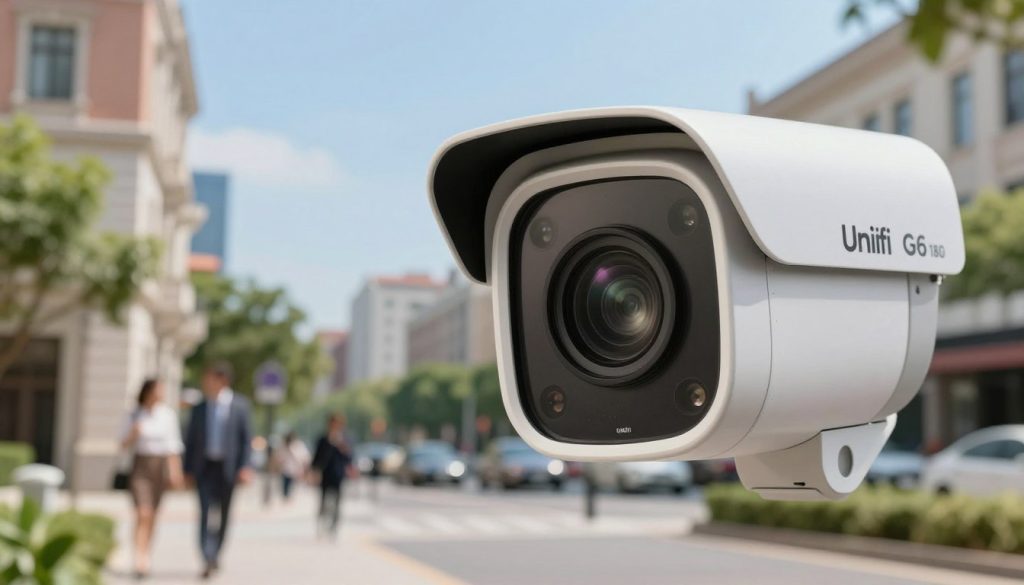
4K resolution and HDR for better contrast in mixed lighting
4K resolution preserves fine detail across a wide scene so you can read badges, see clothing patterns, or spot a make and model from a distance. HDR balances bright and dark areas when sunlight, porch lights, or headlights create mixed exposure.
Motion-optimized noise reduction and tuning for sharper frames
Motion-optimized noise reduction keeps moving subjects from becoming smeared across a single frame. That matters when someone walks briskly or a car pulls into the driveway.
Adjustable contrast, exposure, and sharpness let you tune the image to your property’s quirks. One camera covering a wide area benefits most from careful tuning.
How clarity supports real-world identification and monitoring
When frames are clear, you confirm events faster and avoid long replays. Better capture improves reporting and gives you stronger evidence for neighbors, HOA, or law enforcement.
Ultimately, improved clarity and on-device processing boost day-to-day monitoring and overall home security. Night performance deserves its own check — identification after dark is the next step to evaluate.
Smart Detection and Intelligence: Alerts You’ll Actually Want
Smarter alerts give you useful awareness instead of a flood of unhelpful notifications. The built-in intelligence focuses on people, vehicles, and animals so you only see events that matter to your home.
People, vehicle, and animal detection
These detections cut down notification fatigue. The system flags human movement and vehicles separately from pets or wildlife. That helps you react faster to real visitors and ignore passing critters.
Face recognition for higher-confidence awareness
Face recognition gives you added awareness when you want it. When configured carefully, it helps distinguish household members from strangers. Use it sparingly and only for trusted faces to avoid unnecessary alerts.
License plate capture: realistic expectations
License plate recognition can be useful, but results vary. Angle, speed, lighting, and distance all affect whether a plate is read accurately.
| Environment | Plate capture quality | Notes |
|---|---|---|
| Controlled approach lane | High | Steady speed, good lighting, perpendicular view |
| Fast street traffic | Low | High speed and glare reduce reads |
| Poor weather or glare | Variable | Snow, heavy rain, or sun can block characters |
“Intelligence that reduces false alarms gives you better day-to-day visibility and less stress.”
In practice, intelligence is most valuable when it improves your day-to-day visibility and reduces false alarms. Use placement and settings to get reliable alerts without sacrificing privacy or creating constant prompts.
Night Vision, Weather, and Tamper Resistance for Year-Round Protection
When light fades, your camera’s real value is how well it keeps watching. Effective night vision and rugged construction mean you get usable footage in every season, not just on clear afternoons.
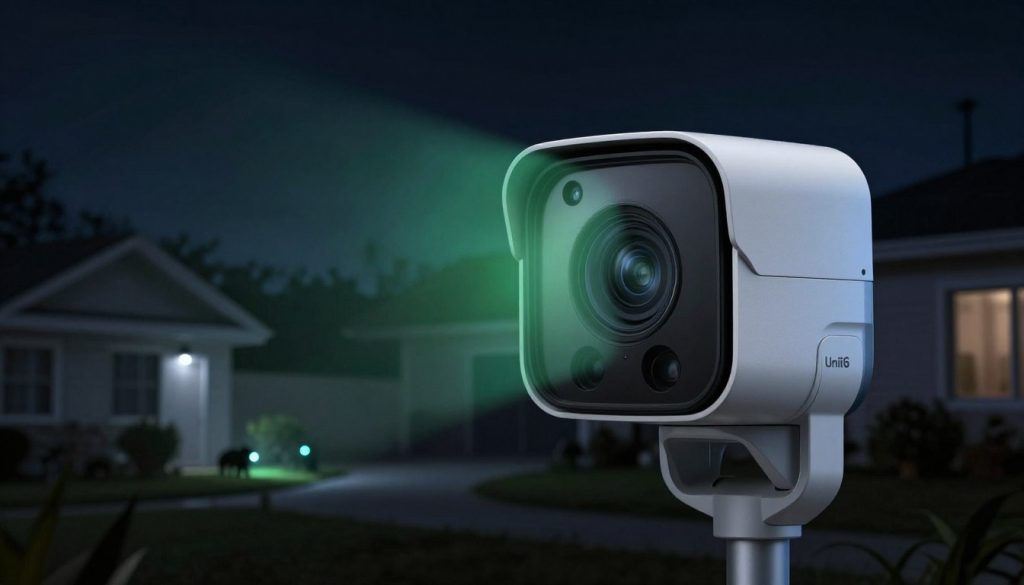
Infrared range and low-light clarity
IR night vision reaches up to 30 meters (98 feet), which covers most driveways and front yards. That range gives you readable detail in typical residential zones so you can spot people and vehicles after dark.
Built for harsh weather
With IP66 weather protection, the camera resists heavy rain, snow, humidity, and temperature swings common in the Midwest. That weather resistance helps keep optics clear and electronics stable through seasonal storms.
Toughness where it counts
IK04-rated impact resistance means the housing tolerates everyday knocks and reachable tampering. Good tamper resistance protects your investment and keeps coverage online when an exposed unit is bumped or prodded.
Clean mounting and professional finishes
Aluminum alloy and polycarbonate enclosures pair with gang-box adapters, flush mounts, and weather shields for neat installs on brick, siding, soffits, or garage framing. Proper mounting improves image stability and long-term durability.
“Durability is more than surviving a storm — it’s keeping clear night vision and steady recording every time you need it.”
Security Without Sacrificing Privacy: Best Practices for Residential Surveillance
Protecting your property doesn’t mean recording everything; thoughtful design keeps surveillance targeted and respectful.
Plan first. Decide which zones you need to see—doorways, driveway, and main approaches—and which areas should stay private. Good planning reduces the chance you capture neighbors, sidewalks, or private yards.
Using masking and thoughtful camera angles
Use privacy masking to block windows, walkways, or sensitive zones. Masking preserves the useful field of view while preventing recording of unrelated environments.
Choose tighter framing and tilt cameras so they focus on entries and paths. A small angle shift can keep your image clear where it matters and avoid capturing adjacent property.
Audio considerations and responsible monitoring
Audio can add context to events, but check local rules and household expectations before enabling recording. Notify household members and guests when audio is active.
Limit who can access live feeds and recordings. Use strong passwords, two-factor authentication, and set reasonable retention times so you don’t hold unnecessary footage.
- Keep camera placement out of bathrooms and other private spaces.
- Use centralized controls in unifi protect or your NVR to apply masking and access rules consistently.
- Review clips selectively to keep focus on events that matter and preserve clarity for investigations.
“Good privacy design gives you better footage of what matters and less irrelevant content to review.”
Network, Storage, and UniFi Protect Setup: The Foundation Behind Great Video
A reliable home network is the unseen backbone that makes high-resolution surveillance useful. 4K video and on-device AI need steady bandwidth and smart switching to deliver timely alerts and smooth playback. Plan your network before adding cameras so performance matches expectations.
Why stable bandwidth and switching matter
Bandwidth and segmentation keep camera streams from competing with your home Wi‑Fi. Proper switches and VLANs ensure that video traffic is prioritized so alerts arrive fast and playback doesn’t stutter.
PoE+ design and cabling choices that prevent downtime
Use quality Cat6 or better runs, weather‑rated terminations, and labeled panels. PoE+ supplies power and data; clean infrastructure reduces outages and makes troubleshooting easier.
Storage options and retention planning for UniFi Protect
Choose storage based on how many days of footage you need and the number of cameras. Hard drive sizing and RAID choices affect reliability. Evaluate storage options and set retention that matches your budget and privacy goals.
How Omnia Integration supports your install
Omnia Integration provides home networking design and installation so the system has the power delivery, switching, and recorder sizing it needs. If you want the product to perform, system design matters as much as the camera.
Local service in Glencoe, IL and Highland Park, IL
If you’re in Glencoe, IL or Highland Park, IL expect a neat, professional install with thoughtful placement, tidy cabling, and a system tuned for reliability and privacy.
“A well-built network turns good hardware into a dependable security system.”
To schedule a consultation, email info@omniaintegration.com or call 847-430-4871. A short visit will clarify recorder sizing, storage options, and the cabling plan that gives you confident coverage.
Conclusion
A single panoramic camera can shrink blind spots while keeping high-resolution detail where it matters most. You get usable clarity across the whole frame, so fewer devices still deliver actionable video for daily life and incidents.
Intelligence trims false alerts and highlights people, vehicles, and even faces or a license when conditions allow. That focus makes notifications more helpful and less noisy.
Built-in IR night vision, IP66 and IK04 resistance, and durable materials mean year-round coverage you can rely on. Good placement, masking, and household rules keep privacy intact.
Security works best with a solid network, clean PoE cabling, and the right storage plan. If you live in Glencoe, IL or Highland Park, IL, email info@omniaintegration.com or call 847-430-4871 to schedule a consultation with Omnia Integration.